
PROCUREMENT HUB
Whether you are improving day-to-day classroom inclusion or planning more specialist provision, SEND purchasing works best when it is joined up: needs-led, evidence-based, and realistic to deliver. Use this hub to plan what you need, set a sensible scope and budget, and find trusted suppliers for resources, training, EdTech, furniture and building support.
Use this timeline to keep procurement, lead times and checking on track.
Clarify the need and outcomes (pupil needs, staff feedback, behaviour/engagement patterns) and identify what is already working. Decide whether you need resources, training, space changes, or a combination.
Create a shortlist and trial where possible (especially for EdTech and assistive technology). Confirm what training, set-up and ongoing support is included, and check any data protection requirements early.
Place orders and confirm delivery/installation plans. For any room changes or furniture moves, agree supervision lines, storage, and how the space will be used day-to-day so it supports inclusion rather than creating new pinch points.
Roll out with simple routines and clear ownership. Track what is being used, what is not, and why. Review impact after the first few weeks and adjust (training top-ups, settings changes, layout tweaks).
Use Incensu to shortlist suppliers who understand SEND provision and inclusion. Use the checklist opposite to browse supplier categories and find the right SEND business partners for your school or trust.
Use these practical guides to plan specifications, compare quotes and keep works on track.
Shortlist what will make the biggest difference, how to trial effectively, and what to ask suppliers.
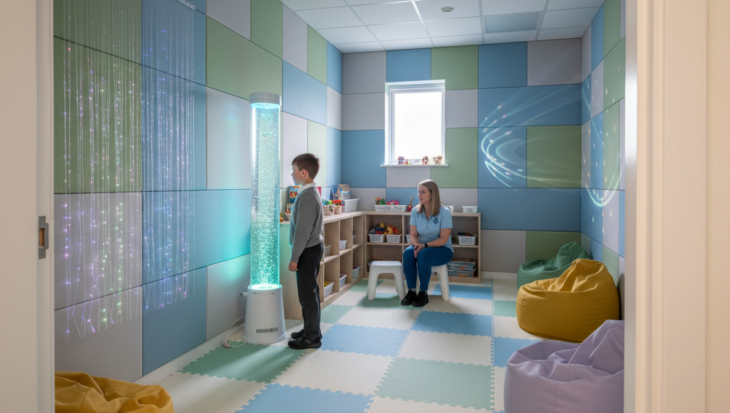
How to plan a calm space that is safe, practical to run, and genuinely supports regulation.
A practical guide to small and medium changes that improve access, comfort and inclusion.
What to look for in seating, tables, storage and layout to support different needs.
These FAQs cover common SEND procurement questions schools and trusts ask when planning resources, spaces and support.
Start with the needs you see most often and the outcomes you want to improve (access, regulation, engagement, independence). Audit what you already have, then prioritise changes that are low-effort to implement and easy to sustain. If you are unsure, trial before committing and gather feedback from staff and pupils.
Where possible, yes. A short, structured trial helps you check usability, training needs, compatibility with your devices, and whether it genuinely supports independence. Agree what “success” looks like before the trial starts, and keep the trial group small enough to support properly.
Ask what onboarding is included, who delivers training, whether it is role-specific, and what happens after go-live (refreshers, helpdesk, resources). The best solutions include practical routines and examples, not just a product demo.
Be clear about the purpose of the space and how it will be supervised. Choose durable, easy-to-clean materials, plan storage, and avoid layouts that create blind spots. Agree simple usage rules and a booking/hand-over process if multiple staff will use the space.
Often it is the basics: reducing glare and noise, improving wayfinding, creating predictable zones, and making storage and movement easier. Small changes to layout, acoustics and lighting can improve access and regulation without a full refurbishment.
Yes, if a tool processes personal data (pupil names, notes, reports, behaviour logs or usage data). Check what data is collected, who can access it, where it is stored, how long it is retained, and what audit logs are available. Make sure your privacy information and internal processes reflect how the tool is used.
Set a simple baseline and review date. Track what is being used, staff confidence, and the outcomes you expected (for example improved engagement, reduced incidents, better access to learning). If impact is limited, adjust the implementation plan before replacing the product.
Standardise the principles and the minimum expectations (training, data handling, core resources, review cycles), then allow schools to adapt delivery to their cohorts and buildings. Shared templates for audits, trials and impact reviews help keep things consistent.