
This guide is part of the SEND Provision & Inclusion: Planning & Procurement Hub – SEND Provision & Inclusion Hub: Planning & Procurement | Incensu
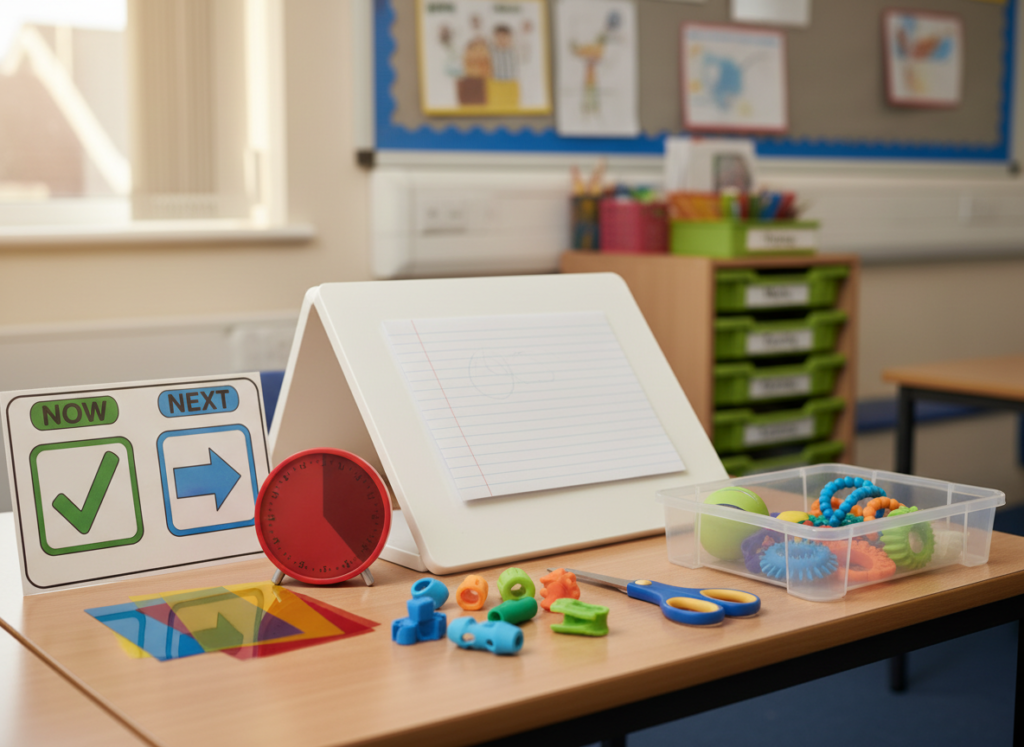
How SEND resources and assistive technology can make a difference
SEND classroom resources and assistive technology can make a real difference — but only when they are chosen around need, implemented well, and kept simple enough to sustain. This guide helps you prioritise what to buy first, how to trial effectively, and what to ask suppliers so you avoid spending money on tools that sit in cupboards.
Useful links (for SEND leads and classroom teams)
- Evidence-informed starting point: EEF – Special Educational Needs in Mainstream Schools
- Find trusted suppliers: SEN Supplies, EdTech, Training
1) Start with need and outcomes (not products)
Before you shortlist anything, write down the needs you are trying to meet and the outcomes you want to improve.
- Access: Can pupils access the curriculum and demonstrate learning?
- Regulation: Can pupils stay settled enough to learn?
- Communication: Can pupils express needs and participate?
- Independence: Can pupils do more without adult prompting?
If you can, keep it specific (for example: “reduce writing fatigue”, “support transitions”, “improve engagement in whole-class input”).
2) Audit what you already have
A quick audit often uncovers unused resources, gaps, and duplication.
- What is already in classrooms vs stored centrally?
- What is used daily, weekly, and rarely?
- What do staff feel confident using?
- What breaks, goes missing, or needs replacing?
This step helps you prioritise “high-usage basics” before specialist purchases.
3) Prioritise the basics that improve access for many pupils
If budget is tight, start with resources that benefit a wide range of needs.
- Visual supports (timetables, now/next, task boards)
- Organisation supports (checklists, colour coding, storage)
- Sensory supports (simple fidgets, ear defenders, movement breaks)
- Writing supports (pencil grips, sloped boards, alternative recording)
Then add more targeted tools for specific needs.
4) Assistive technology: shortlist by use-case
Assistive technology works best when it is chosen around a clear use-case.
Common school use-cases include:
- Text-to-speech and reading support
- Speech-to-text for writing
- Word prediction and spelling support
- Communication aids (AAC)
- Planning and organisation tools
When you shortlist, check compatibility with your devices and whether it works in real classroom conditions (logins, noise, Wi‑Fi, shared devices).
5) Run a short, structured trial
A trial reduces risk and helps you plan implementation.
Keep it simple:
- Choose a small group and a named lead.
- Set a 2–4 week trial window.
- Agree success measures (usage, independence, engagement, quality of work).
- Capture staff feedback and pupil voice.
If a supplier cannot support a basic trial or provide clear onboarding, that is a useful signal.
6) What to ask suppliers (quick checklist)
Ask these before you buy:
- What training is included (and for who)?
- What does “good implementation” look like in a school?
- What ongoing support is available (helpdesk, refreshers, resources)?
- What are the lead times and delivery arrangements?
- What is the replacement/returns process?
- If it is digital: what data is collected and where is it stored?
7) Implementation: make it easy to use
Most resources fail because they are not embedded.
- Create simple routines (when and how it is used)
- Keep storage obvious and accessible
- Provide “one-page” prompts for staff
- Plan a review point after the first few weeks
8) Evidence impact without creating lots of admin
Choose 2–3 simple measures:
- Usage (how often it is used, by whom)
- Staff confidence (quick rating before/after)
- Pupil outcomes linked to the need (engagement, independence, reduced incidents)
If impact is limited, adjust implementation before replacing the tool.
Find trusted suppliers (Incensu categories)
Look for suppliers displaying the Education Supplier Badge

Further reading
Next step
If you are planning SEND purchases, start with one priority need, shortlist 2–3 options, and trial before committing.
Back to hub
SEND Provision & Inclusion Procurement Hub https://incensu.co.uk/articles/send-provision-inclusion
More guides in this hub
- Sensory rooms and calm spaces: planning, design and procurement essentials — https://incensu.co.uk/sensory-rooms-calm-spaces/
- Adapting classrooms for SEND: practical building changes that make a difference — https://incensu.co.uk/adapting-classrooms-send/
- Inclusive furniture and learning environments: SEND-friendly classroom setup — https://incensu.co.uk/inclusive-classroom-furniture-send/