
This guide is part of our School Security & Safeguarding: Planning & Procurement hub. For the full timeline and procurement checklist, visit School Security & Safeguarding: Planning & Procurement Hub | Incensu
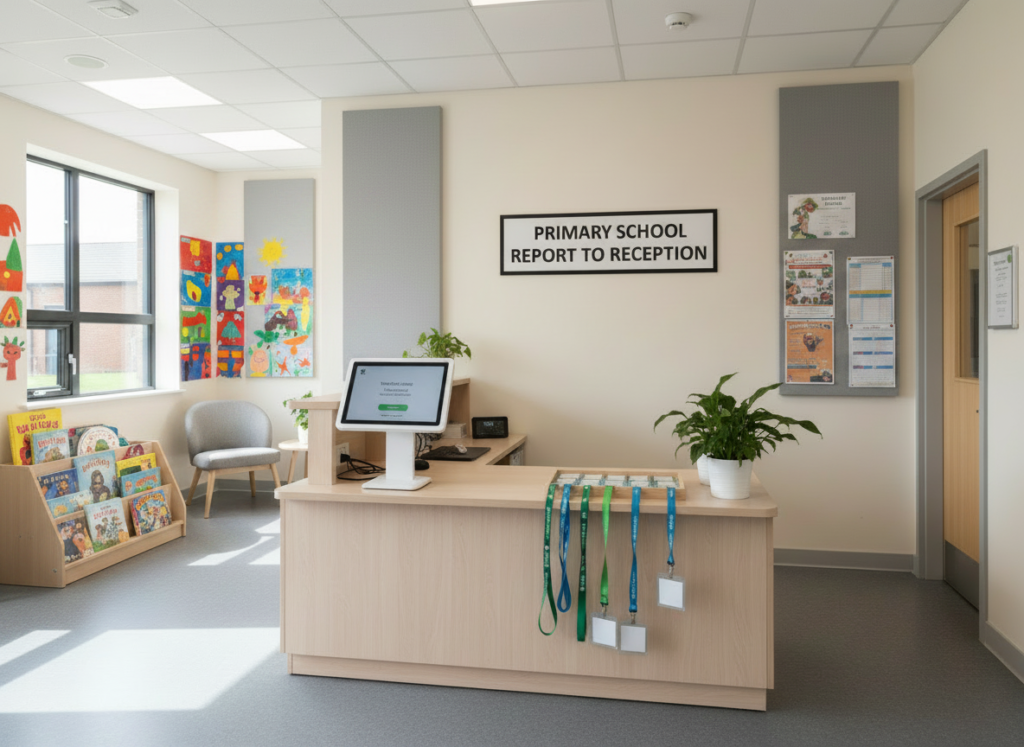
Why visitor management and access control in schools is important
Visitor management and access control are two of the quickest ways to tighten essential security and safeguarding on a school site – but only if the day-to-day process is simple enough for busy staff to follow.
This guide helps school business leaders, site teams and safeguarding leads plan what they need, write a clear specification, and shortlist trusted suppliers.
What visitor management and access control actually cover
Visitor management is the process and tools you use to:
- Sign visitors in and out
- Confirm identity and purpose of visit
- Issue badges (and collect them back)
- Record who is on site for fire safety and safeguarding
- Keep an auditable log
Access control is how you manage entry through doors and gates, including:
- Intercoms and video entry
- Fobs, cards, codes or mobile credentials
- Time-based access (for example, contractors only during agreed hours)
- Door release from reception
- Lockdown capability (where appropriate)
In many schools, the best outcome is not a “new system” – it is a clearer process supported by the right tools.
Start with the safeguarding outcome (not the tech)
Write your outcome in plain English. For example:
- “All visitors are identified, signed in, and supervised appropriately.”
- “Reception can control entry without leaving the desk.”
- “We can quickly confirm who is on site in an evacuation.”
This keeps procurement focused and helps you compare suppliers fairly.
A simple specification you can copy
When you request quotes, include:
1) Site context
- Number of entrances (main entrance, side gates, staff entrances)
- Reception staffing pattern (busy times, lone working)
- Any shared site arrangements
- Peak visitor types (parents, contractors, supply staff, peripatetic staff)
2) Must-haves
Choose only what you truly need. Common must-haves include:
- Photo badge printing (or clear badge display)
- Pre-registration for expected visitors
- Contractor sign-in with safety prompts
- Emergency roll call / who is on site report
- Simple reporting and audit trail
3) Nice-to-haves
- Integration with MIS or HR systems (only if you will use it)
- Multi-site/MAT reporting
- Language options
- Self-service sign-in kiosks (if supervised and appropriate)
4) Processes and roles
- Who owns the system day-to-day
- Who checks logs and how often
- What happens when a visitor refuses to comply
- What the escalation route is for safeguarding concerns
GDPR and data protection: the essentials
Visitor logs and access logs are personal data. Ask suppliers:
- What data is collected by default (and can it be minimised)?
- Where is data stored (UK/EU), and how is it secured?
- Who can access it, and are permissions role-based?
- How long is data retained, and can you set retention rules?
- How do you export data for audits or SARs?
Keep it practical: you want enough information for safeguarding and safety, without collecting more than you need.
For a practical overview of UK GDPR requirements for organisations (including handling personal data in visitor logs), see the ICO guidance: https://ico.org.uk/for-organisations/uk-gdpr-guidance-and-resources/
Questions to ask suppliers (copy/paste)
- Can you show us the full sign-in flow in under 2 minutes?
- What does the visitor badge look like, and can we customise it?
- How do you handle pre-registered visitors vs walk-ins?
- What happens if the internet goes down?
- What training is included for reception and office staff?
- What support response times are included, and what are the costs?
- Can we run a short pilot before full rollout?
Common pitfalls (and how to avoid them)
- Overcomplicated sign-in: If it takes too long, staff will bypass it. Keep steps minimal.
- No ownership: Assign a named owner and a deputy.
- Badges not used: Make badge wearing part of the routine and keep spares ready.
- Too much data: Collect only what you need and set retention rules.
Implementation checklist
- Confirm entrances and any building works needed
- Agree the visitor process and supervision expectations
- Set roles and permissions
- Brief staff and run a short scenario test
- Review after 2-4 weeks and tighten anything that is not working
Next step
If safeguarding training and induction are on your safeguarding list, use the hub checklist and timeline to plan roles, induction materials and supplier shortlisting early – then compare like-for-like quotes with a clear spec.
Back to the School Security & Safeguarding hub
For the full security and safeguarding timeline, procurement checklist, and all guides in this series, visit: School Security & Safeguarding: Planning & Procurement Hub – incensu.co.uk
More guides in this hub
- School Security & Safeguarding: Planning & Procurement Hub: School Security & Safeguarding: Planning & Procurement Hub – incensu.co.uk
- CCTV in schools: specification and GDPR essentials CCTV in schools: specification and GDPR essentials – incensu.co.uk
- Cybersecurity and online safeguarding: what good looks like Cybersecurity and online safeguarding: what good looks like – incensu.co.uk
- Safeguarding training and induction: what to check Safeguarding training and induction: what to check – incensu.co.uk